Tech UGC: Use Creators To Sell Software, Apps, And More

Tech UGC, short for user-generated content focused on technology products, has become one of the fastest-growing content categories for brands selling software, apps, and hardware. The global UGC platform market is projected to grow from $7.1 billion to $8.48 billion this year alone, and tech brands are driving a significant share of that spend. When there’s nothing to hold or unbox, your creative has to do the work that a physical product usually handles on its own: make the value feel real within seconds.
The most effective tech UGC centers on the experience and the result. A quick, believable walkthrough that shows what someone gets and what changes after they use it does more than a polished brand demo, because it removes uncertainty in the exact moment a buyer is deciding.
This guide covers what tech UGC actually is, which formats perform best, real brand examples worth studying, how the production workflow differs from physical-product content, and how to brief creators so your assets are usable and scalable from day one.
TL;DR
- Tech UGC needs on-screen proof that makes an intangible offer feel concrete within the first few seconds.
- The most reliable creators deliver a tight story: problem, onboarding, first meaningful action, then the “aha” outcome.
- SaaS, app, and hardware brands each need slightly different UGC approaches, but all share the same core requirement: show the product working on screen.
- Build landing page “proof modules” that show tangible outputs and answer common objections quickly.
- Treat access, recording safety, and QA like part of production by using demo accounts, clean screens, and clear “do not show” rules.
- Tech UGC creators looking to break into the niche should start by filming the tools they already use and building a portfolio around screen-based content.
What Is Tech UGC?
Tech UGC is user-generated content created specifically for technology products, including SaaS tools, mobile apps, desktop software, browser extensions, and consumer electronics like smart home devices, wearables, and gadgets.
What separates tech UGC from standard non-digital product UGC is the role that the screen plays. With physical products, creators can lean on in-hand moments like unboxing, texture, and fit. Tech products need the creator to visualize value through workflows, interface demos, and on-screen outcomes, which makes the format more structured and the brief more specific.
Tech UGC can be either organic (a user films a review on their own initiative) or strategic (a brand collaborates with a UGC creator to produce content against a brief). Both carry value, but strategic tech UGC gives brands more control over messaging, compliance, and the specific product moments captured on camera. The performance case is strong too: UGC-based ads outperform traditional branded creative by 93% on average, which is why the content is typically published on the brand’s own channels or run as paid ads rather than left to organic reach alone.
What Does “Digital Product UGC” Look Like
Digital product UGC needs to make an invisible offer feel concrete. The winning formats do that by showing the workflow on screen, narrating what’s happening, and finishing with an outcome you can see, not just a claim you have to trust.
Here are some of the most commonly used UGC formats for the digital products.
1. Screen-Record Walkthroughs (Setup → Aha Moment)
The simplest, most reliable format is a creator-led screen recording that starts with the problem, shows the key steps inside the product, and ends right after the “aha” where the value clicks. Short-form guidance maps well here because the structure is familiar and the pacing forces you to keep only what matters.
To make this format usable at scale, your brief should tell creators exactly what to capture: onboarding step, first meaningful action, and the outcome moment. If the product is sensitive, use demo accounts and sample data, but keep the flow realistic.
2. Hook → USP → CTA Clips Where The USP Is An Outcome
Digital products don’t get “in-hand” proof, so your unique selling point often needs to be an outcome demonstrated on screen, not a feature list. A creator can open with the pain, show the shortcut, then land the CTA once the viewer has watched the result happen in real time.
If you sell an instant-access offer like courses, templates, or subscriptions, the key is making “what you get” obvious early. The idea behind selling without inventory translates cleanly to creative direction, because the offer has to do extra work to remove uncertainty up front.
3. Outcome-Proof Assets And Landing Page Trust Blocks
Beyond ad-style clips, you should also plan for “proof modules” that can live on landing pages and in retargeting. Think short clips that show tangible outputs (a finished design, a dashboard change, a completed lesson milestone), plus review or Q&A snippets that answer the objections you hear most.
This is where UGC earns its keep even when buyers do not deeply engage with it. Benchmarks like the PowerReviews UGC conversion report reinforce a practical takeaway: give shoppers proof they can scan fast, then let the curious ones go deeper.
Make sure you creators show the digital product and the positive outcomes on screen. Otherwise, your UGC is probably too vague to carry paid spend.

Tech UGC Examples Worth Studying
The best way to understand what makes tech UGC work is to look at brands that are already running it well.
1. SaaS and Productivity Tools
Notion has built a large library of creator-made content where users walk through their personal workspace setups, template configurations, and productivity workflows. The videos work because they show a real workspace solving a real organizational problem, not a feature tour narrated by a brand voice.
ClickUp and Monday.com have both invested in UGC-style video content that follows the problem-to-solution arc: a creator describes a workflow pain point, opens the tool, and shows the resolution on screen.
The efficiency gains are measurable: UGC ads generate 4x higher click-through rates and 50% lower cost-per-click compared to standard branded creative, which is a meaningful advantage for SaaS brands operating on tight CAC targets.
2. Mobile Apps
Duolingo’s organic UGC engine is one of the most studied examples in app marketing. Users regularly post streak milestones, lesson completions, and gamification moments that double as social proof.
Fintech apps like Revolut and YNAB benefit from tech UGC that focuses on outcome screens: budget dashboards, savings milestones, and transaction categorization. Showing the output makes the app’s value concrete in a way that a feature list never could.
3. Consumer Hardware and Gadgets
Tech UGC extends beyond software. Brands like Anker, Logitech, and Eufy regularly work with creators who film setup processes, desk tours, and side-by-side comparisons with competing products. The unboxing format still plays a role here, but the highest-performing content tends to focus on the product in use rather than the product coming out of a box.
For wearables and smart home devices, creators who document integration into their daily routines (pairing a smartwatch with a fitness app, configuring a smart thermostat, testing wireless earbuds during a commute) produce content that answers the practical questions buyers have before purchasing.

How Tech UGC Supports the Buyer Journey
Tech purchases tend to involve more research and comparison than impulse buys, which means tech UGC needs to serve different purposes at different stages of the decision-making process. Mapping your content to the buyer journey helps you brief creators more precisely and ensures you have assets for every stage of your funnel.
1. Awareness: First Impressions and Problem Recognition
At the top of the funnel, potential buyers are discovering that a problem exists or that a category of tools can solve it. UGC at this stage should be broad and relatable.
Short clips where a creator describes a frustration (“I was spending three hours a week manually updating my project tracker”) and introduces the product as the thing that changed their workflow perform well here. The goal is recognition, not conversion, so the content should focus on the pain point and the category rather than deep feature explanations.
Comparison videos also work at this stage. A creator reviewing two or three tools in the same category helps your product get discovered by people who are searching for alternatives, and the format naturally positions your product alongside established competitors.
2. Consideration: Demos, Walkthroughs, and Social Proof
Once someone knows your product exists, they want to understand how it works and whether it fits their specific needs. This is where screen-recorded walkthroughs with strong hooks earn their keep. Creators who show the setup process, the first meaningful action, and the ongoing workflow give potential buyers a realistic preview that a marketing page can’t replicate.
Tutorial-style content works well here too, especially when it focuses on a single workflow or use case rather than trying to cover everything. A creator showing how they use one specific feature to solve one specific problem is more persuasive than a broad overview, because the viewer can immediately see whether their own needs align.
3. Decision: Outcome Proof and Testimonials
At the bottom of the funnel, buyers need final confirmation. Tech UGC that focuses on measurable outcomes (time saved, costs reduced, workflows simplified) helps close the gap between interest and action. Testimonial-style clips where a creator shares their experience after using the product for weeks or months carry more weight than first-impression reviews.
This is also where paid UGC landing page assets become valuable. Short proof clips embedded near pricing sections or CTAs, showing a real dashboard, a completed project, or a before-and-after workflow, can reduce friction at the exact moment someone is deciding whether to sign up or purchase. Pages that feature UGC see conversion rates up to 161% higher than those without it, which makes these assets worth producing even if you never run them as ads.
Once that decision is made and someone actually converts, the brief needs to change again. Onboarding and feature-adoption UGC take over from there, and our guide to UGC for retention marketing covers how to brief creators for that stage specifically.
How Does the Digital Product UGC Process Differ vs Physical Products
The biggest shift between the digital and physical product UGC is what counts as “proof.” Physical products can lean on in-hand moments like unboxing, texture, fit, and real-world use, but digital products need to visualize value through screens, workflows, and outcomes.
A useful way to frame it is the difference between selling something tangible and selling a product with no inventory, where the offer has to do more explanatory work upfront. here are the most important differences to consider:
Creative Direction: “In-Hand Proof” vs “Screen + Outcome”
For physical UGC, creators often win by showing the product in context and letting the viewer imagine themselves using it. For digital product UGC, your brief needs a tighter storyline: start with the pain, show onboarding and the first meaningful action, then land the “what changed” outcome on screen.
That structure keeps the content from turning into generic praise and makes the value legible in seconds. Digital product value visualization is the core job here.

Logistics: Shipping Boxes vs Access Provisioning
Physical-product UGC operations revolve around shipping, delivery timing, and ensuring the creator has the right item and sizing. Digital-product UGC flips that into access provisioning: test credentials, demo environments, sample data, and a “safe recording” setup that avoids sensitive screens.
This is why digital UGC projects often move faster and can enjoy a much shorter turnaround time.
QA and Policy: What Creators Show Can Trigger Platform Scrutiny
Digital products, especially apps, face stricter scrutiny on what’s shown and what’s implied. If a creator demonstrates something that looks manipulative, misleading, or “over the line,” you can end up with platform enforcement issues, which makes pre-approval and tighter scripts more important than in many physical categories. App Store Review Guidelines are a good reminder that policies can affect the creative you ship, not just the product itself.
If you brief digital products like physical products, you’ll get vague videos and unsure results. Instead, build the workflow around screen-proof, safe access, and stricter QA so every asset explains the value clearly and survives policy review.
Execution Checklist For Tech UGC
Tech UGC gets easier when your team treats it like a repeatable production system. The checklist below is built to prevent the three most common failure modes: vague demos, risky claims, and screen-recording leaks.
1. Pre-flight: lock the recording environment before a creator hits “record”
- Specify device and context: phone vs desktop, OS, browser, and whether you want portrait or landscape.
- Provide a clean test account state: pre-loaded sample data, the right plan tier, and a clear “start here” path.
- Define what cannot be shown: license keys, customer data, internal dashboards, downloadable file paths, notifications, and browser bookmarks.
- Add a redaction rule: if anything sensitive appears, the creator must blur it in-edit, and you should require watermarks for downloadable assets using guidance like ways to stop digital content from being copied.
2. Compliance: tighten claims, disclosures, and review language
- Require a clear disclosure when there’s an exchange of value, and make the phrasing part of the script so it’s not optional.
- Ban absolute outcomes (guaranteed results, fixed income claims, “will” language) unless you can substantiate and qualify them for typical users.
- Keep creator language grounded in experience, aligned with FTC endorsement guidance, so your approvals are fast and consistent.
3. Rights, reuse, and distribution: keep your usage rights clean
If you plan to run creator assets as ads, reuse them on landing pages, or include them in email flows, lock usage rights up front with a simple written grant. A plain-language explainer like how to legally use user-generated content helps teams document permissions consistently, which reduces friction when you want to scale a winning asset across channels.
Using creators from Billo can alleviate such burdens as this is handled for you.
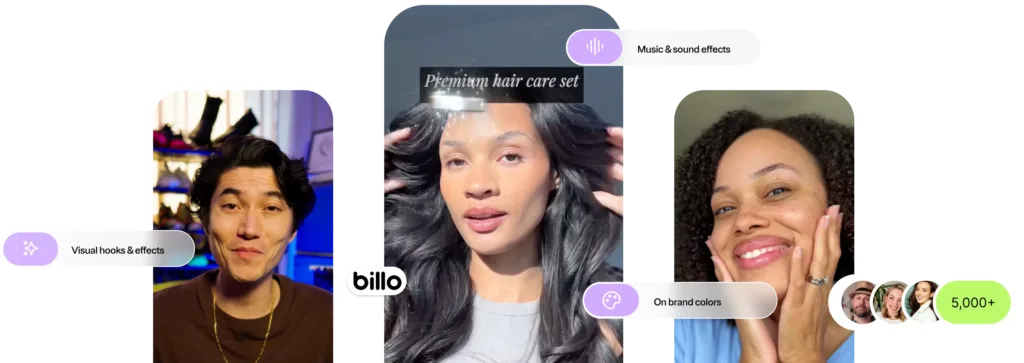
The most effective briefs read like a production spec. When you define the recording environment, claims rules, rights, and delivery proof before filming starts, creators ship cleaner assets and your team spends less time fixing problems in post.
How to Brief Tech UGC Creators
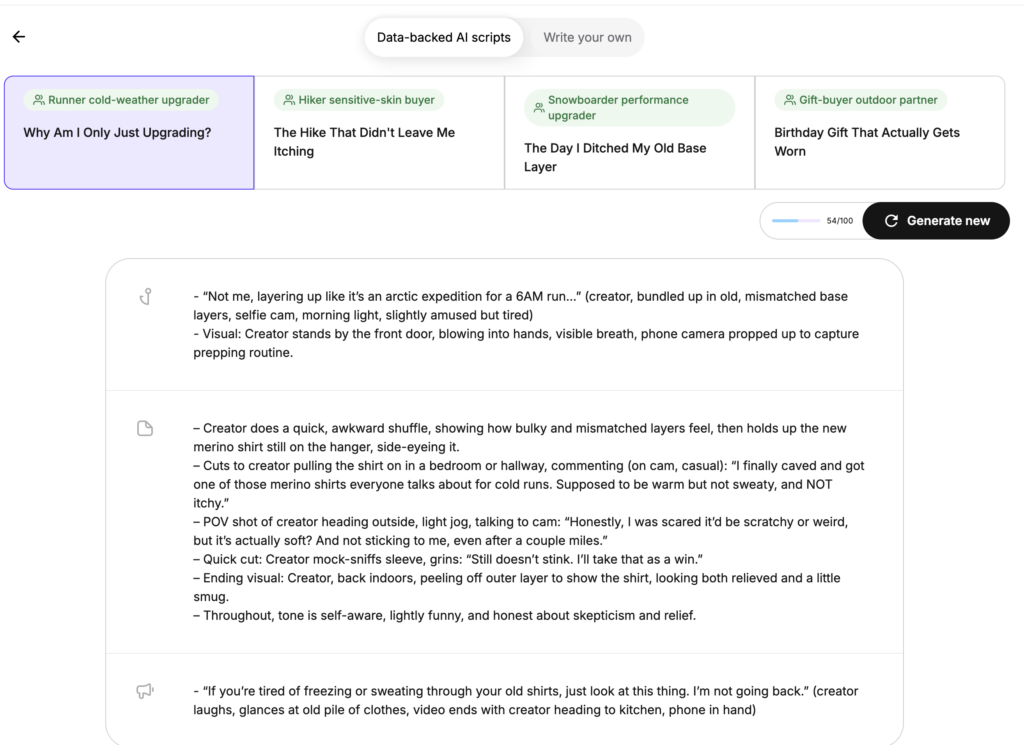
Tech UGC performs when the viewer can see the value, not just hear about it. That means your best assets usually follow a simple path: problem, screen-based workflow, “aha moment,” and an outcome that’s easy to verify in a few seconds.
If you want a repeatable system, treat every creator brief like a production spec. Define a safe recording environment, tighten claims and disclosure rules, and bake in proof-of-delivery and usage rights from day one. When those guardrails are consistent, you can scale winning angles faster without creating compliance, leakage, or dispute risk.
For digital product UGC at scale, your brief should tell creators exactly what to capture: onboarding step, first meaningful action, and the outcome moment. If the product is sensitive, use demo accounts and sample data, but keep the flow realistic so the content feels authentic to viewers.
How to Get Into Tech UGC as a Creator
Tech UGC is one of the fastest-growing niches for creators, and the barrier to entry is lower than most people assume. You don’t need a large following, expensive equipment, or a background in software engineering. What tech brands care about is your ability to clearly demonstrate a product on screen and explain its value in plain language.
Build a Portfolio Using Tools You Already Use
The simplest way to start is by recording sample videos of the software, apps, or gadgets you already use daily. Pick a productivity tool, a design app, or a piece of hardware you know well and film a 30-to-60 second walkthrough showing a specific workflow or outcome. Focus on one feature per video, speak in everyday language, and make sure the screen recording is clear and easy to follow. Three to five strong samples are enough to start pitching.
Where to Find Tech UGC Work
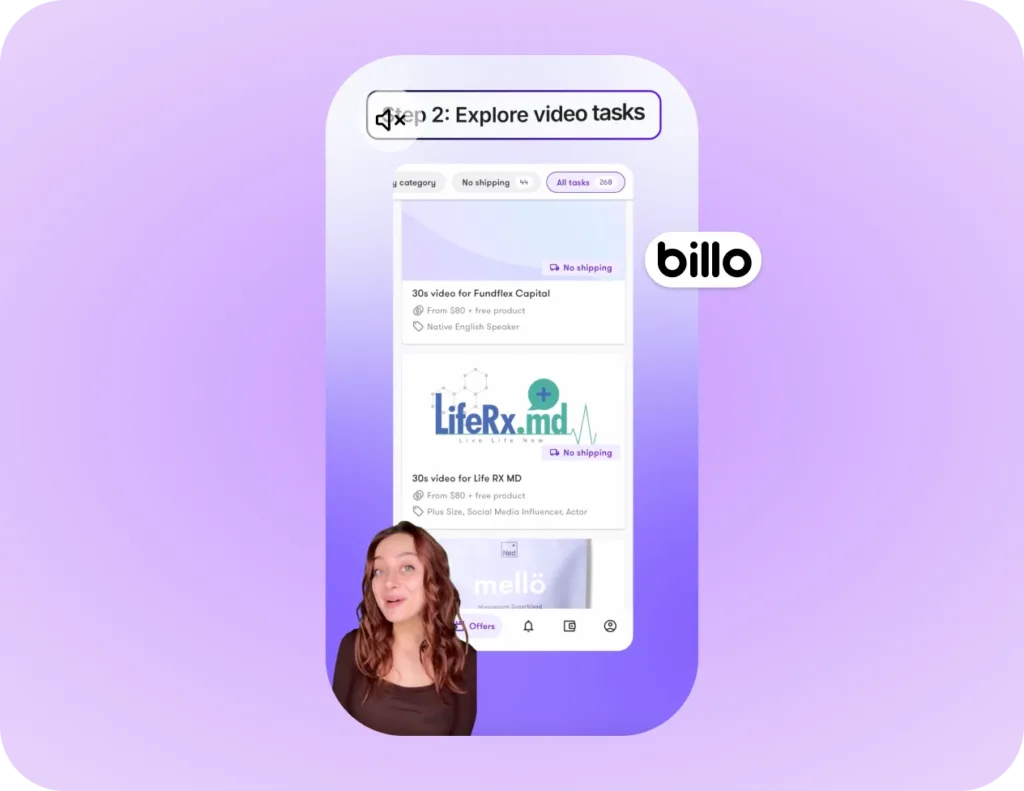
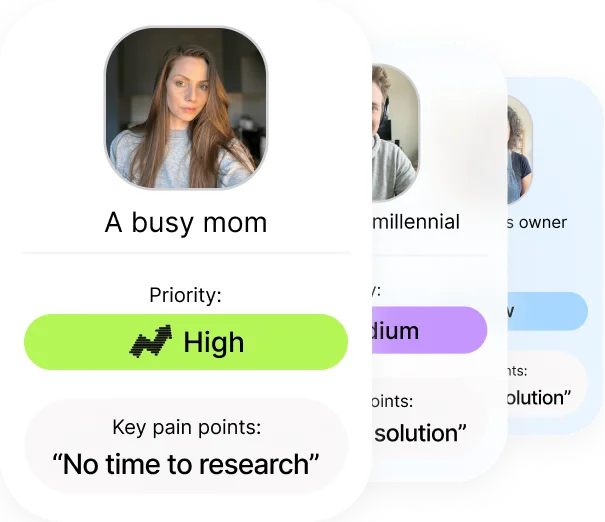
UGC platforms like Billo connect creators with brands looking for exactly this type of content, including SaaS companies, app developers, and hardware brands.
What Makes a Tech UGC Creator Stand Out
The tech UGC creators who consistently get rehired tend to share a few traits. They explain one thing at a time without rushing or overloading the viewer. They show the product in a realistic context rather than reading off a feature list. And they deliver clean screen recordings with good audio quality, which means wiping your phone lens before filming, using a mic for voiceover, and keeping your desktop free of notifications and personal bookmarks during capture.
If you have experience in a specific industry (finance, education, healthcare, marketing) that becomes a differentiator when pitching to tech brands on UGC platforms. SaaS companies in particular value creators who understand the use case well enough to speak to it authentically without heavy scripting.
FAQs
What does tech UGC mean?
How do I get into tech UGC?
How long should a tech UGC video be?
What should creators show on screen to make a tech product feel real?
How is tech UGC different from influencer marketing?
Do brands need usage rights for tech UGC content?

SEO Lead
Passionate content and search marketer aiming to bring great products front and center. When not hunched over my keyboard, you will find me in a city running a race, cycling or simply enjoying my life with a book in hand.
Make creator marketing a data-backed growth channel

Related from Creative Insider
Inside Canvas UGC: the new model for brand-owned social accounts
UGC for Retention Marketing: Same Creators, Different Brief
How to repurpose UGC: turn creator videos into a full-funnel content engine