Getting started on Billo: answers to new creators’ most common questions

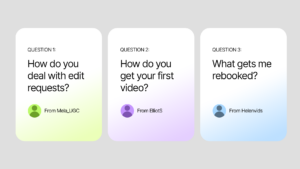
Getting started on Billo usually raises the same handful of questions: what makes a pitch pass, why applications go quiet, and when the money arrives. In November 2026, Billo’s team and a Premium creator answered these questions in a creator AMA on r/billoapp, and this FAQ brings their answers together in one place.
Nojus, a success manager who works with brands every day, explained how brands choose creators. Allysa from Billo Support covered how the platform works, and Caitlin, who joined Billo in 2026 and reached Premium quickly, shared what worked for her when she was starting out.
If you haven’t joined yet, the Billo for creators page explains who can sign up and how it works.
TL;DR
- Pitch: exactly 30 seconds, 9:16 at 1080×1920, in your own voice, with no captions, music or filters. Two rejections in a row mean a two-month wait, so get it right the first time.
- Profile: a complete profile, with 100% strength and at least one example video, is a must-have before your pitch is reviewed.
- Followers: you don’t need a social following for standard UGC jobs.
- Getting picked: brands usually choose two to four creators per campaign and decide within three to four days, so apply to around 10 tasks a day.
- Invitations: accepting one adds you to the applicant list, and you’re hired only once the task appears in your To-Do tab. From then, you have 5 days to film and upload, counted from when the product arrives if one is shipped.
- Getting paid: approved videos pay out to your Stripe account within 3 days, and Stripe sends your balance to your bank every Monday.
Your pitch and profile
Your 30-second video pitch and your profile are the first things Billo and brands see, so most early questions start here.
What does Billo check in a video pitch?
Each pitch is reviewed on its own, and Allysa explained that small details such as a blurry clip, black borders or background music can decide the outcome.
These are the must-haves:
- Format: 9:16 vertical, exported at 1080×1920, MP4 or MOV, under 500 MB.
- Length: exactly30 seconds, because even a fraction over won’t upload.
- Voice: English, in your own natural voice, with no AI voiceover.
- Thumbnail: one that clearly shows your face.
- Structure: an intro about who you are (0 to 5 seconds), a montage of your skills with voiceover (5 to 22 seconds), and an ending that says “Hire me for your next video on Billo” (22 to 30 seconds).
- Clean footage: no captions, filters, music, transitions, logos, watermarks or social handles, and every clip fills the full frame with no black edges.
The nice-to-haves are worth following too. Turn off HDR, use your rear camera, and film in soft light with a clean lens, keeping the shot steady, at eye level and from the waist up, with a quiet, tidy background. The full checklist is in Billo’s guide to mastering your video pitch.
What happens if my pitch is rejected?
You always receive detailed feedback on what to fix. Take your time with the next attempt, because two rejections in a row mean a č-month wait before you can submit again. If the feedback isn’t clear, contact Billo Support and the team will take a closer look before you refilm.
Does my profile need to be complete?
A complete profile is a must-have for your pitch to be reviewed. Your profile needs to reach 100% strength with at least one example video, so finish it before you submit your pitch.
After you fill everything in, tap Save profile information at the bottom and wait for the “Profile updated!” message. One creator in the AMA found that a profile they thought was complete hadn’t saved, so this check is worth the extra second.
Do I need a social media following?
No following is needed for standard UGC video jobs.
As Nojus put it, “You don’t need a social portfolio to be a creator on Billo, as it all comes down to the videos themselves.”
Followers only come into play for optional add-ons, such as Organic Posting and Partnership Ads, where the video goes out on your own feed. These are a way to earn extra on a job once you’re up and running.
Which example videos should I add?
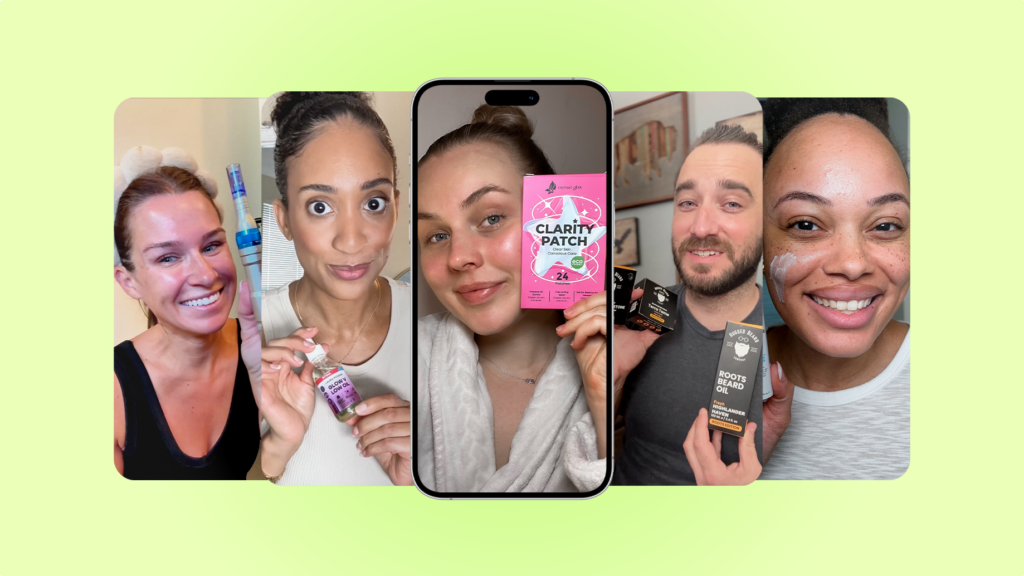
Until you have five approved videos on Billo, you can add up to three example videos to your Portfolio, and creators with example videos get three times more job offers. Allysa recommends making each one a different kind of product-focused ad, such as an unboxing, a product demo, a voiceover-style ad or a skit.
Keep them 9:16, between 15 and 60 seconds long, and free of captions, music and watermarks. Only show what you can deliver again, since a brand that hires you because of your dog or your home gym will expect to see it in its video. The help center has more ideas for extra video examples.
If you don’t have brand work yet, Caitlin suggests filming products you already use and treating them like a real brief. Those clips can go into your pitch or become your first example videos.
How do I replace an example video?
Go to Portfolio > Example videos, tap the circular arrow icon on the video you want to change, and upload the new one. Then tap Save profile information so the change is kept.
Getting your first jobs
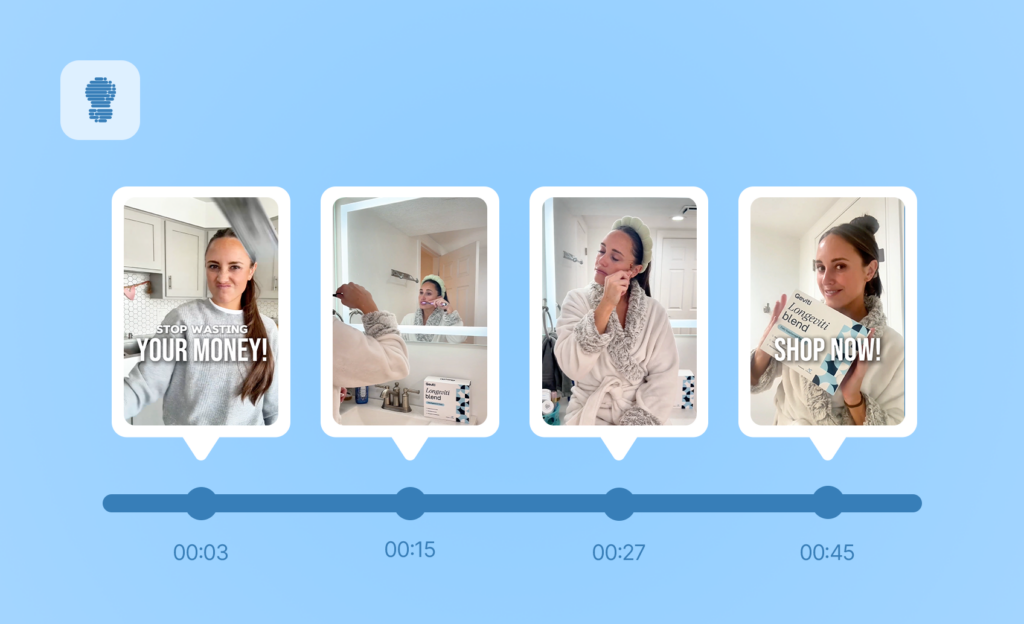
The first few jobs are usually the hardest to land. Once you have approved videos and ratings on your profile, brands have more to go on and it gets easier.
How do brands choose creators?
When a brand or agency launches a campaign, creators apply and join a pool of applicants. Nojus explained that brands start reviewing applications after about 12 to 24 hours and usually pick 2 – 4 creators per campaign.
When you apply, brands see your pitch, your example and approved videos, your tags and your answers to any screening questions. They pick creators who fit their target audience, and those with several video examples are more likely to be chosen.
How many tasks should I apply to?
Billo recommends applying to around 10 tasks a day, because each brand picks only a few creators from a large pool. Caitlin applied to more than 40 briefs a day as a brand-new creator before her first job came through.
When a new creator asked whether brands ever pick people with no completed jobs, Caitlin’s answer was direct: “Yes they pick people with no jobs.” Read the brief and the creator preferences before applying, so each application goes to a task you’re a good fit for.
I’ve applied to lots of tasks and heard nothing. What should I change?
Allysa described the start as mostly a numbers game, so silence doesn’t mean you’ve done something wrong. Brands usually decide within 3 to 4 days and often choose from a lot of applicants.
A few changes make each application count for more:
- Add up to three example videos, using your best work from other platforms if you have it.
- Fill in About Me with your occupation, a short intro and tags that match your lifestyle and interests.
- Answer screening questions in full sentences. Nojus pointed out that brands notice one-word “Yes” or “No” answers, because your answers show how you communicate.
- Add Organic Posting or Partnership Ads under Portfolio > My services, since some brands only shortlist creators who offer them.
Billo’s help article on why you might not be getting approved for tasks has more fixes.
Does my location matter?
Billo works with creators in the US, the UK and Canada, and most brands on the platform are based in the US. Allysa noted that US brands hire UK creators all the time, so you don’t need local brands to get steady work.
If shipping is a concern, go to Explore, tap the filter icon and set Product shipment to “No product” to see tasks that don’t need anything mailed to you. Caitlin added that location only really matters when a brand needs you to film at a specific place, and Billo tells you that before you apply. Billo’s guide to applying for offers explains the filters.
Invitations and your first task
Brand invitations and the first hire caused the most confusion in the AMA. Even Caitlin said that after accepting many invitations, she often heard nothing back.
A brand invited me and I accepted. Am I hired?
Accepting an invitation works like an application. It adds you to the brand’s list of applicants, and the brand still has to choose you, with up to 14 days to decide before the invitation expires.
You can’t message the brand before you’re selected, so there’s no need to follow up. The best use of that time is to keep applying to other offers. The help center explains more about task invitations.
How do I know I’ve been hired, and how long do I have?
When a brand picks you, the task appears in your To-Do tab and you get a notification, so keep app notifications turned on. Then open the task and check the timer:
- If the countdown has started, there’s no product to ship, and you have 5 days to film and upload.
- If it hasn’t started, the brand is shipping you the product, and your 5 days begin once it arrives.
The help center’s guide for when you get approved for a task walks through the next steps.
Should I message the brand once I’m hired?
You don’t need to wait for the brand to message you, because everything you need is in the brief. If you have a question about the script or the product, ask the brand through the task chat, and if the brand doesn’t reply, contact Billo Support and the team will follow up for you.
Caitlin’s habit is to message the brand as soon as she submits a video, to let them know it’s ready for review.
What are the most common mistakes in a first video?
Allysa said most of the mistakes Billo sees are easy to fix once you know what to look for:
- Missing a detail in the brief. Skipped instructions, such as a scene or a mention, are the most common reason for edit requests, so read the whole brief before filming and again before uploading.
- The wrong aspect ratio. Hold your phone vertically for 9:16 and horizontally for 16:9, fill the frame with no black borders, and keep your face and the product centered.
- Over-editing. Leave out captions, stickers, music and filters, since Billo’s post-production team adds these for brands that order editing.
- Background noise. Film somewhere quiet, listen back with earphones, and check how to pronounce the brand name.
- Guessing. If something in the brief is unclear, ask the brand in the task chat before you film.
Approvals and getting paid
Once your video is submitted, two questions follow quickly: when will the brand approve it, and when will you be paid.
How long does a brand take to approve my video?
Brands usually have 3 business days to review a video before it’s approved automatically, and Nojus said larger brands can have 5 to 7. Some brands need sign-off from their management first, which is why the automatic approval exists.
If the brand ordered editing, Billo’s post-production team works on your video after the brand approves it, which usually adds one to two business days. Weekends don’t count toward these windows, so a video submitted on a Sunday starts its count on Monday. If a video has been waiting unusually long, contact Billo Support.
How is my pay set?
Pay for a standard job is set by the video length and your creator tier, and it isn’t negotiated task by task. You agree to the amount when you apply, and it covers the video and standard revisions.
You can earn more on top of that by selling extra footage and by offering Organic Posting and Partnership Ads, which you price yourself. Reaching Premium also raises your pay on every video, and the requirements are in Billo’s guide to becoming a Premium creator.
When do I get paid?
Nojus laid out the timeline:
- Once your video is approved, the payout moves to your Stripe account within 3 days.
- Payouts build up in your Stripe balance during the week.
- Every Monday, Stripe sends your balance to your bank account, where it usually arrives within 1 to 2 business days.
Billo’s article on how and when you’ll get paid has the full details.
Why do all my offers suddenly show the same pay?
Finishing a job doesn’t change what you earn on the next one, so your rate hasn’t dropped. What you’re seeing is most likely your sort and filter settings in Explore.
If your sort is set to “Recommended,” you’ll see offers that match your profile, which can look similar. Tap the sort icon next to the search bar and try “Highest earnings” or “Newest,” and check that the “Total earnings” filter isn’t set too narrow. Your choices are saved automatically until you change them.
Quick answers and where to get help
I took a break, and offers stopped coming in. What happened?
If you set your availability to “away” while you were off, switch it back on, or brands may not see you as available. Billo’s guide to managing your availability shows where the setting is. If it’s already on, give it a few days of regular applying, since brands take three to four days to choose.
How do I get my first ratings?
Once a task is complete and the brand hasn’t left a rating, send a short, friendly message thanking them for the collaboration and asking whether they’d mind leaving one. Allysa said most brands are happy to and simply forget. The help center explains how to request ratings from brands.
Where can I get help with my own account?
For anything about your own account, such as a specific payment, order or video, message Billo Support in the app. Fin, the AI assistant in the support chat, can answer common questions about payouts and revisions straight away and passes you to the team when it can’t help. The help center’s Billo for creators collection covers everything else.

SEO Lead
Passionate content and search marketer aiming to bring great products front and center. When not hunched over my keyboard, you will find me in a city running a race, cycling or simply enjoying my life with a book in hand.
Make creator marketing a data-backed growth channel

Related from Creative Insider
UGC Creator Jobs: Get Paid to Make Content in 2026 (No Following Required)
What Are The Steps Of Video Post-Production?