Meta Ad Library: how to find winning competitor ads


Ever spent an afternoon staring at a blank creative brief, trying to guess what your next winning ad should look like?
Here is the thing: you do not have to guess. Every ad your competitors are running right now is public, searchable, and free to look at. Most marketers know this tool exists. Far fewer know how to read it properly – and that gap is where the advantage sits.
Nielsen’s research on advertising effectiveness found that creative is the single biggest driver of sales lift, contributing around 47% – more than targeting, reach, or context. Which makes a free library of every ad your category is currently running one of the more valuable tools you are probably underusing.
This guide covers what the Meta Ad Library shows you, how to search it properly, and (the part most guides skip) how to tell a genuinely winning ad from one that just happens to be live.
TL;DR:
- The Meta Ad Library is the renamed Facebook Ad Library.
- It is completely free and requires no login or advertising account.
- You can see every active ad from any advertiser, plus how long each has been running.
- You cannot see spend, targeting, or engagement for regular commercial ads.
- The “Started running on” date is the most underrated field in the entire tool.
What is the Meta Ad Library?
The Meta Ad Library is a free, public database of every ad currently running across Facebook, Instagram, Messenger and the Meta Audience Network. Anyone can search it, for any advertiser, in any country – no account needed.
If you have been in performance marketing for a while, you may know it as the Facebook Ad Library. Meta renamed it when the parent company rebranded, but nothing else changed: same tool, same URL, same data. You will still see both names used interchangeably across the industry, and plenty of people still search for “fb ads library” out of habit.
It exists because of advertising transparency regulation. Meta was required to make political and social-issue advertising publicly inspectable, and the company extended that visibility to all advertising. The side effect is that competitive creative research became free for everyone.
Imagine you are launching a new skincare line and you want to know how the three biggest brands in your category are positioning themselves this quarter. Instead of guessing, you open the Ad Library, type in each brand name, and read their entire live creative strategy in about ten minutes. That is the tool in one sentence.
What does the Meta Ad Library show?
What you get for any advertiser:
- Every active ad they are currently running, across all Meta placements.
- The creative itself – video, image, carousel, and the full ad copy.
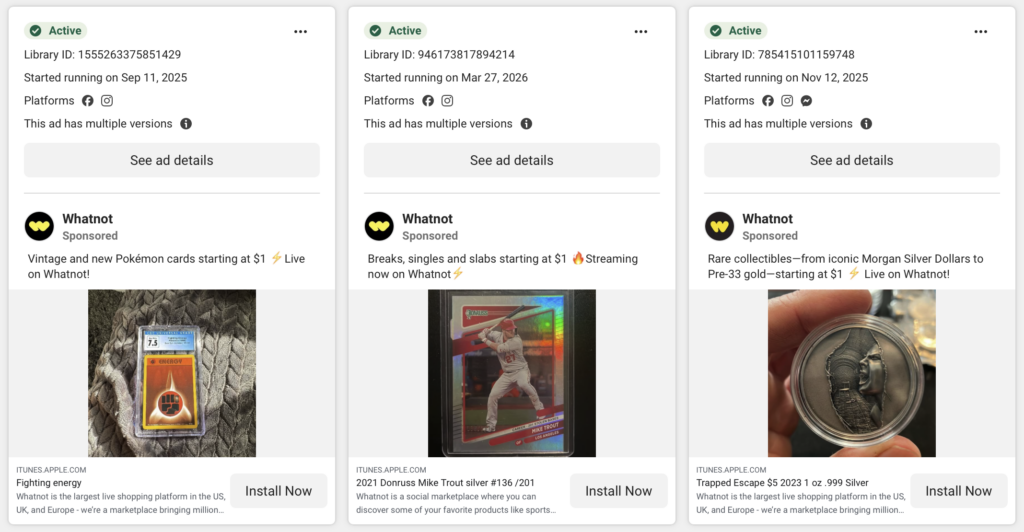
- The “Started running on” date, which tells you how long the ad has been live.
- Every variant in an ad set, so you can see how many versions of one concept are in rotation.
- The platforms each ad is running on.
What you do not get for regular commercial ads:
- Spend. Not a range, not an estimate, nothing.
- Targeting. No audiences, no demographics, no placements strategy.
- Engagement or performance. No likes, comments, shares, CTR or conversion data whatsoever.
That last one catches people out. If you want to know what a good CTR actually looks like for the formats you are researching, you will need your own benchmarks – the library will not give you anyone else’s.
The exception is ads about social issues, elections or politics. Those carry far more detail – spend and impressions as bounded ranges, demographic and regional breakdowns, and Meta retains them for seven years. Regular commercial ads are kept for a much shorter window, so the library is a snapshot of what is running now, not a complete historical archive.
Having said that, the missing data matters less than you would expect. You cannot see what a competitor spent, but you can see what they kept running and as we will get to, that is the more useful signal anyway.
Five search techniques that aren’t obvious
Anyone can type a brand name into the search box. These are the techniques that separate a 5 minute skim from actual research.
1. Find the advertiser ID and bookmark it.
When you search a brand and select its Page, the URL becomes facebook.com/ads/library/?id=123456789. That number is the advertiser ID. Bookmark it, and you have a one-click link straight into that brand’s live creative – no searching required next time.
2. Accept that there is no domain search, then work around it.
This trips people up constantly: the Ad Library has no field where you can type a website address. You search by Page name, not by domain. For brands with several regional Pages, you will need to find each one separately. Search the brand name and look carefully at the dropdown, because “Brand” and “Brand UK” are two different advertisers with two different creative strategies.
3. Filter by media type to isolate video.
If you are researching video creative specifically, filtering out static images immediately cuts the noise. Combine this with a date filter to see only what has launched recently.
4. Read the variant count as a signal.
When you see one concept appearing eight times with small differences (a different opening line, a different thumbnail) you are looking at an ad set the advertiser is actively scaling. Nobody builds eight variants of a concept that is not working.
5. Use the API only if you genuinely need bulk data.
Meta offers an Ad Library API, and there are two things to know before you invest a developer day in it. Access requires identity verification with a government ID, and (this is the significant one) for regular commercial ads, API access is limited to the EU and UK. Outside those markets, commercial ad data is not available programmatically at all. Rate limits sit at roughly 200 calls per hour, and no engagement data is exposed through the API either.
Making sense so far? Good. Now for the part that actually changes your creative brief.
How to spot a winning UGC ad
Here is the problem with the Ad Library: everything in it is live, which makes everything look successful. A brand’s worst-performing ad and its best-performing ad sit side by side with no label telling you which is which.
So you have to infer it. After years of producing UGC video ads for ecommerce brands, these are the signals we trust most.
Run time is your proxy for performance
Meta’s delivery system is ruthless – underperforming creative stops getting served quickly, and advertisers turn off what is not converting. So an ad that has been running for 30, 60 or 90 days is almost certainly profitable. Sort your attention by the “Started running on” date, and treat anything that has survived a month as a validated concept. A brand-new ad tells you what a competitor is testing. An old one tells you what they proved.
Variant count confirms it
Combine run time with the number of versions in rotation. A concept that has been live for two months and exists in six variants is not a test, it is a winner being scaled hard.
Learn to recognize creator-led creative on sight
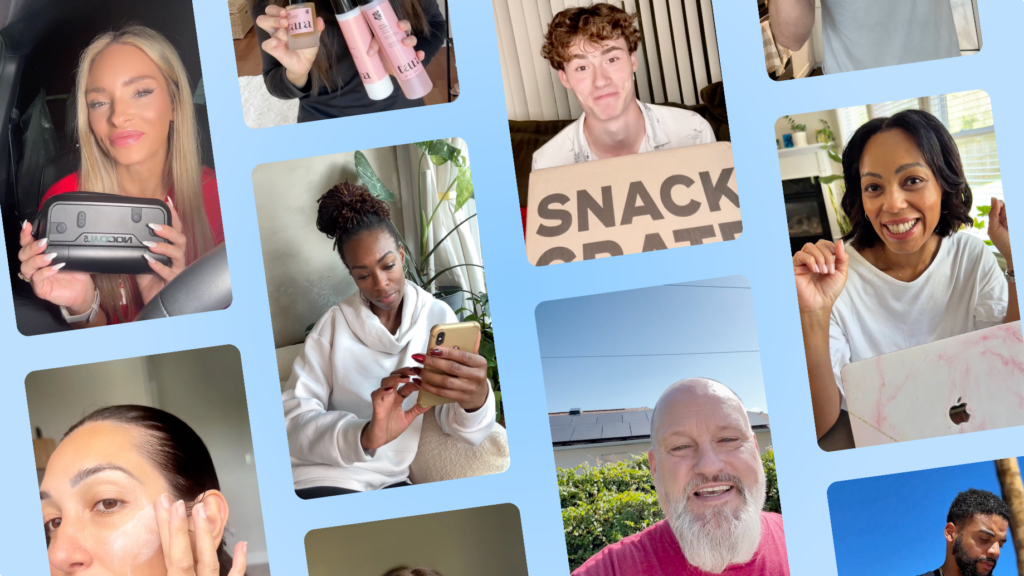
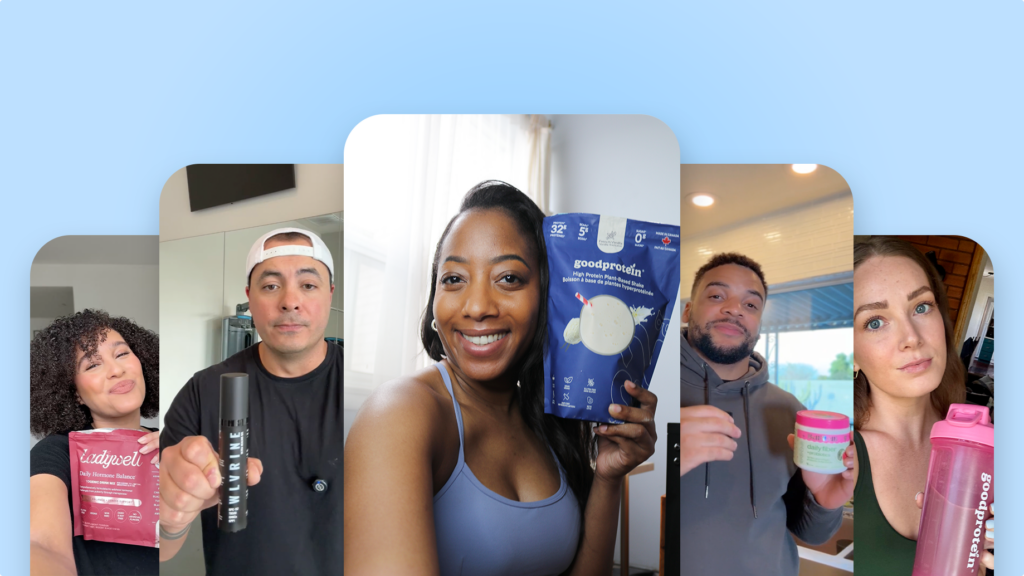
Studio-produced ads and genuine UGC look different, and the difference is deliberate. Creator-led ads are typically shot vertically at 9:16, handheld with visible camera movement, open on a face in the first frame, carry burned-in captions, and use natural rather than studio lighting.
If you are not sure which camp an ad falls into, our breakdown of UGC versus influencer content covers the distinction in more detail. If a brand’s longest-running ads are all creator-led, that tells you what their audience responds to far more reliably than any case study.
Imagine you are briefing creative for a supplements brand. You pull the three biggest competitors and find that between them, their eleven longest-running ads are all vertical, creator-shot, and open on someone talking directly to camera in a kitchen. Meanwhile every polished studio ad in their account launched recently and none has lasted. You have just learned more from twenty minutes of research than from a month of testing.
Read the first three seconds, not the whole ad
The hook is where the money is. Watch only the opening of each long-running ad and write down the pattern: is it a question, a problem statement, an unexpected visual, a direct address? You will quickly notice that the winners in any given category cluster around two or three hook types – and those patterns translate directly into UGC scripts you can hand to a creator.
Watch for format recurrence across the category
When several unrelated competitors independently land on the same format (unboxing, before-and-after, a founder talking to camera) that is the category telling you something. Formats converge because they work. It is worth knowing the full range of ad formats available before you decide your category has only one option.
One caution worth stating plainly: do not copy ads. Copying a competitor’s script gets you their message with none of their brand equity, and it is usually obvious to the audience. Use the library to identify patterns – the hook type, the format, the length, the creator style and then build your own creative on that structure.
And check the framing before you brief. If you are researching Stories and Reels placements, note where competitors are putting their text and product shots. Our guide to Meta ads safe zones explains why so many otherwise good ads get their captions clipped by the interface.
Your weekly Meta Ad Library research routine
Ad research fails when it is something you do once, get excited about, and never repeat. Here is a routine that takes about 30 minutes a week and actually compounds.
| Step | What you do | How often | Why it matters |
|---|---|---|---|
| 1. Build your watchlist | Pick five competitors – two direct, two aspirational, one from an adjacent category selling to the same person. Save each advertiser ID as a direct link. | Once | The only step that takes real effort, and you never repeat it. |
| 2. Filter to 30+ days | Ignore anything newer on your first pass. | Weekly | You are looking for validated concepts, not experiments. |
| 3. Log four fields | Hook type, format, creator style, days running. | Weekly | Patterns only become visible across weeks. A plain spreadsheet is enough. |
| 4. Note what vanished | Compare against last week’s log and mark anything that has gone. | Weekly | A disappeared ad is a failed ad – the only way to learn what does not work. |
| 5. Commission one brief | Find the format recurring among long-running ads and brief a single piece of creative on it. | Monthly | One good brief beats ten speculative ones. |
Step 4 is the one almost everyone skips, and it is the most revealing. Everything visible in the Meta Ad Library is live, so the library alone can only ever tell you what a competitor is trying. The ads that quietly disappear between one week and the next are the ones that failed, and that is information no tool will hand you. It only exists if you have been keeping your own log.
The value is in the repetition. A single session tells you what is running today. Twelve weekly sessions tell you what survives and that is a genuine competitive advantage. Once you have a few months of observations, this becomes the backbone of a proper UGC strategy rather than a series of one-off creative guesses.
If you would rather not infer performance from run times, CreativeOps does the same job with outcomes attached – scripts, creator matches and category benchmarks drawn from 1.41M creator video ads and $2.5B in tracked purchase value. Keep the weekly research either way; the difference is whether your next brief rests on five competitors or a few hundred thousand ads.
Wrapping up
The Meta Ad Library is not a secret – every one of your competitors can open the same tool and look at your ads too. The advantage is not access, it is interpretation. Knowing that run time signals performance, that variant count signals scaling, and that disappearances signal failure turns a browsable archive into a genuine research tool.
Start with five competitors and one 30-minute session this week. Filter to the ads that have been running longest, and write down what they have in common. That list is your next creative brief.
And once you know what format your category rewards, the next question is who is going to shoot it. If creator-led video keeps showing up among the winners, here is how to find UGC creators who can produce it.
FAQs
Is the Meta Ads Library free?
Can you see how much competitors spend on ads?
How far back does the Meta Ad Library go?
Can I search the Meta Ad Library by website or domain?
Does the Ad Library show all of an advertiser’s ads?

SEO Lead
Passionate content and search marketer aiming to bring great products front and center. When not hunched over my keyboard, you will find me in a city running a race, cycling or simply enjoying my life with a book in hand.
Make creator marketing a data-backed growth channel

Related from Creative Insider

Creative diversity isn’t optional: why Meta’s algorithm buckets look-alike UGC
Persona Marketing in The Andromeda Era

The Ultimate Content Pipeline for Ads: Never Run Out of Winning Creative