Meta Creator Marketing Hub: what brands can do with it

Have you ever tried to turn a creator’s Instagram post into an ad and ended up juggling DMs, partnership ad codes and an Ads Manager rebuild just to get one video live? For many brand teams, getting the permissions and setup right takes longer than choosing the video in the first place.
Meta wants to shorten that process, and the reason is easy to see. IAB’s research on creator economy ad spend projected that advertisers would spend $37 billion on creators in 2025, with that spend growing about four times faster than the media industry overall.
Meta’s answer is the Meta Creator Marketing Hub, which brings creator discovery, messaging, content permissions and partnership ads into one place. In this guide, I’ll walk you through what the hub is, how brands use it, what you need before you start, and which parts of creator advertising still happen outside it.
TL;DR:
- What it is. Meta’s Creator Marketing Hub combines Creator Marketplace and the Partnership Ads Hub into one place to find creators, message them, get permissions and launch partnership ads. It’s rolling out globally through the end of 2026.
- What brands can do. You can find posts that already feature your products, set permissions that expire on a date you choose, and turn approved posts into partnership ads in one click.
- What stays outside Meta. Creator fees, contracts and new creative production are still your team’s job.
What is the Meta Creator Marketing Hub?
The Meta Creator Marketing Hub is Meta’s workspace for brand and creator partnerships on Instagram and Facebook. It brings creator discovery, messaging, content permissions and partnership ad creation into one place, so your team no longer has to move between separate tools to get a creator’s post running as an ad.
Partnership ads run a creator’s content as an ad from the creator’s handle, in partnership with your brand. The hub is built around getting more of those ads live with less manual work on both sides.
What happened to Instagram Creator Marketplace and Partnership Ads Hub
Until this year, Meta split creator work across two tools. Creator Marketplace was where brands found and contacted Instagram creators, and the Partnership Ads Hub was where they managed creator permissions and turned posts into partnership ads.
At Cannes Lions in June 2026, Meta announced a plan to merge Creator Marketplace and the Partnership Ads Hub into one destination, and said Creator Marketplace would open to Facebook creators for the first time. If you’ve searched for Instagram Creator Marketplace recently and landed on a help page about the Creator Marketing Hub, this merger is the reason.
Let’s say your team used Creator Marketplace last year to shortlist five creators, then switched to the Partnership Ads Hub to request ad permissions and chased codes over email when something didn’t show up. In the Creator Marketing Hub, the shortlist, the conversation and the permission request sit in the same workspace, which leaves fewer places for a deal to stall.
The Facebook addition is worth noting if some of the creators you already work with are digital creators on Facebook.
Where to find it and what’s still rolling out
Meta announced the hub’s global launch at IAB’s first Global Creator Week in September 2026. The features include discovery filters for creator content that uses your products, content-level permissions with expiry dates, one-click ad creation, better content recommendations, editing tools and in-hub messaging, and they roll out through the rest of 2026.
Because the rollout happens account by account, the hub may not appear in your Meta tools yet, or some features may be missing when it does. Brands joined Creator Marketplace through Meta Business Suite, so that’s the first place to look.
Some features Meta previewed at Cannes, such as paid performance insights inside the hub, weren’t part of the September launch announcements. Treat those as planned until they show up in your account.
If a feature in this guide doesn’t appear in your account yet, it is most likely still rolling out to you.
How brands use the Creator Marketing Hub
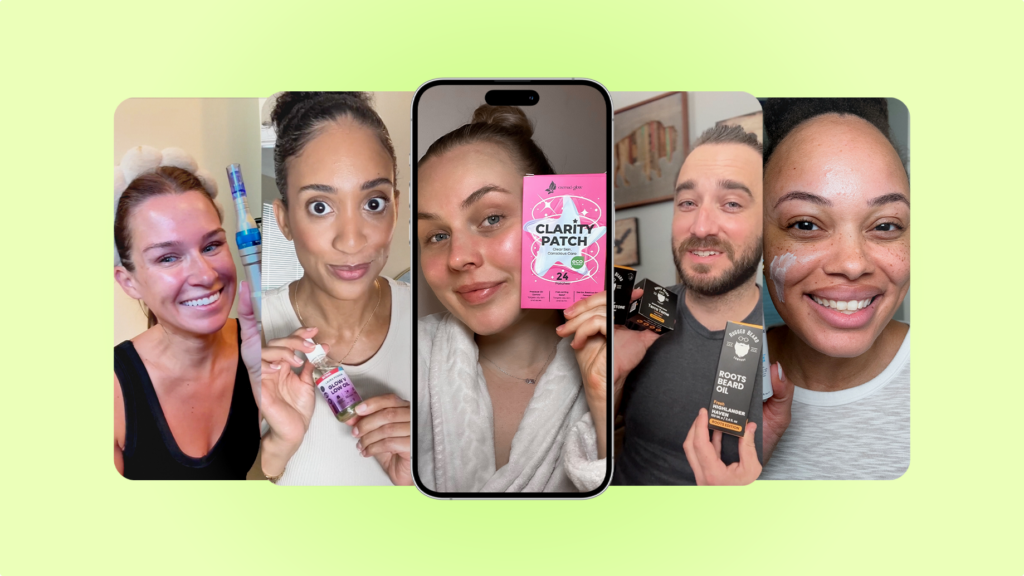
Imagine you sell running shoes, and a fitness creator with a loyal following posted an unprompted review of your latest model last week. With the Creator Marketing Hub, you can find that post, message the creator, request permission and launch it as a partnership ad from one workspace. Here’s how each step works.
Find creators and content that already features your product
The hub’s discovery tools go beyond searching creator profiles. Meta is adding filters that surface creator content already featuring your products, along with recommendations of top-performing organic creator posts, so you can start from videos that already resonate with an audience.
Earlier in 2026, Creator Marketplace also added an ads performance badge for creators Meta predicts will perform well for your brand. It also added a “similar creators” search based on your best past partners, and recommendation rails that show creators who’ve tagged your brand or said they want to work with you.
Start with creators who already tag your brand. They know your product, and the first conversation is much easier to open.
If you also run TikTok, the TikTok Creator Marketplace inside TikTok One covers the same discovery step on that platform.
Message creators and agree on terms
Once you’ve found a creator, you can contact them from the hub. Meta’s 2024 update to Creator Marketplace routed brand messages into a dedicated Partnership Messages folder for creators. It also let brands send one project, with its requirements and rate, to several creators at once.
The hub keeps that partnership messaging in the same workspace, and a new Messaging API lets teams that manage outreach in their own tools contact creators from there.
Use this conversation to settle the details you’ll need later: the fee, which posts you can use, how long you can run them and where they’ll appear. Agreeing on these up front makes the permission step much smoother.
Get content permissions
Permissions are what let you run a creator’s post as an ad. Among the features in Meta’s September 2026 hub update are content-level permissions with expiration dates, so each approved post carries its own end date.
Let’s say you agreed to run a creator’s video for 60 days. Setting a 60-day expiry on that post’s permission keeps your usage in line with the agreement and gives both sides a clear record of what was approved.
Launch partnership ads in one click
Once a post is approved, you can turn it into a partnership ad with one click from inside the hub. Meta has also added editing tools that remove copyrighted music and stickers so a post can run as an ad, and recommendations that suggest an ad objective for it.
Meta has called partnership ads “the most performant and transparent way for advertisers and creators to run ads together,” and the hub is designed to get more of them live. If you want to see what strong partnership ads look like in practice, our breakdown of creator partnership ad campaigns walks through real examples.
Extras: the AI assistant, Instagram Live ads and the APIs
- AI business assistant. Meta’s AI business assistant inside the hub lets you search for creators in chat and ask why a creator was recommended. Partnership ads are also supported in the Meta Ads MCP connector, so advertisers and agencies can create and manage them from the AI agent they already use.
- Instagram Live partnership ads. From 29 September 2026, brands can amplify a creator’s Instagram Live as a partnership ad, a format that was already available on Facebook. Availability can still vary by account, so check yours before you plan a launch around a live stream.
- APIs for tools and agencies. The Creator Marketplace API now includes Facebook creators, and a new Messaging API handles outreach from your own tools. The Content Discovery API recommends top-performing organic creator content, including user-generated content (UGC) that’s ready to run as an ad.
For most brand teams, the four steps above are the core of the hub. The extras matter most if you run a high volume of creator ads or work through an agency.
Requirements, fees and contracts
Let’s say you find a creator whose post fits your next campaign perfectly. Before that post can run as an ad, three things need to be in place: the creator has to be eligible, your brand has to be set up, and you both need to agree on the commercial terms.
For creators. Creator Marketplace eligibility requires creators to be at least 18, use a creator or business account, be based in an eligible country and be in good standing with Instagram’s community, monetization and branded content policies. There’s no official follower minimum.
Creators also have to switch on Meta’s branded content tools themselves, because a brand can’t enable them on the creator’s behalf.
For brands. Brands that haven’t onboarded yet accept the Creator Marketplace terms as part of Meta’s brand onboarding, which includes an eligibility check. You’ll also need an ad account, since you pay Meta for the media when a post runs as a partnership ad.
Permissions. Partnership ad permissions come in two types. Account-level permission lets you create partnership ads under the creator’s identity across their posts, while content-level permission covers a single post, story or reel, and both can carry an expiry date.
Fees and contracts. Partnership ad billing covers the media you buy from Meta, and the creator’s fee is settled separately, outside Meta. That’s why the fee, the scope of use and the term should be in a signed agreement before you request permission in the hub.
Before you send a permission request, run through this quick check:
- The creator has branded content tools switched on.
- You’ve agreed the fee, usage period and placements in writing.
- The permission expiry matches the usage period in your agreement.
- Your ad account is ready to launch the partnership ad.
The hub speeds up the permission step, but the agreement behind it is still yours to write.
Is the Creator Marketing Hub worth it for brands?
For most brands already running creator content on Meta, it is. The hub makes the Meta side of creator advertising much simpler, while a few important parts of the work stay with your team.
What it does well
The biggest gain is fewer handoffs. Discovery, messaging, permissions and ad creation used to sit in two different tools, and now they sit in one, with expiry dates that make usage rights visible on each post.
Finding content that already features your product is useful too. It lets you start from videos that already exist and test them as ads before you commission anything new.
The case for running more partnership ads keeps getting stronger. Meta’s analysis of 20 conversion lift studies with EMEA advertisers found that campaigns where at least 30% of assets were partnership ads had a 45% lower median cost per incremental purchase and a 35% higher median incremental return on ad spend (ROAS) between January and June 2025. Meta reports a 92% confidence level, slightly below the 95% many teams use for testing, so read it as a strong directional signal.
Creators moving across the full funnel was also one of the big themes at Meta’s Performance Marketing Summit this year.
What happens outside the hub
Imagine you run a skincare brand that launches two products a month and wants fresh videos for each one. The hub can help you find creators and turn their posts into ads, but it won’t write the briefs, produce the videos or keep the schedule moving, so that work stays with your team or a partner.
Here’s how the work splits:
- Handled in the hub: finding creators and existing content, messaging, content permissions with expiry dates, and launching partnership ads.
- Handled by your team or a partner: creator fees and contracts, briefs and new video production, creative testing across platforms, and checking that every ad is properly disclosed.
The hub also covers Meta only. If you run TikTok as well, Spark Ads follow their own permission process, and our guide to partnership ads vs Spark Ads explains how the two compare.
Disclosure is the last piece. Meta labels partnership ads as paid partnerships, but when asked whether a platform’s built-in tool is enough, the FTC’s guidance on endorsement disclosures answers “not necessarily” and places responsibility for clear disclosure on brands and creators.
Use the hub to remove the admin, and put the time you save into briefs and new creative.
Where Billo fits
The Creator Marketing Hub makes it easier to find and activate creator content on Meta. Billo helps with the step that comes before activation: getting a steady supply of new creator videos made for your ads.
Let’s say you found three great creators in the hub, but your product launch next month needs 15 new videos to test. With Billo, you write one brief, choose from 5,000+ vetted creators, and get finished videos within 5 days of the creator receiving your product or brief.
Those videos can be pushed directly to Meta Ads Manager or run as partnership ads from the creator’s handle. Billo supports both content-level partnership codes and account-level permissions, where a creator approves one connection and you can run any approved video from their handle.
The permissions themselves live in Meta, and Meta’s guide to profile-level permissions in the Creator Marketing Hubexplains how brands send partnership ad requests and manage them there.
The performance case is solid on both sides. Meta’s internal data on partnership ads shows 19% lower cost per acquisition (CPA) and 13% higher click-through rate (CTR) than standard campaigns.
Billo’s internal analysis of brand-connected Meta ad accounts (January 2025 to August 2026) shows Billo video ads had 11% lower CPA than the other video ads in the same accounts ($82 vs $92 in August 2026), and lower CPA in 17 of the last 20 months.
If you’d like creator videos that are ready to run as partnership ads, you can see how partnership ads work with Billo or browse UGC creators for your niche.
Summary and next steps
The Meta Creator Marketing Hub brings creator discovery, messaging, permissions and partnership ads into one workspace, which removes a lot of the admin that used to slow creator advertising down on Meta. Features are still rolling out by account through the end of 2026, so expect your view of the hub to change over the coming months.
The hub doesn’t remove the need for a steady flow of good creator videos, clear agreements with creators and your own disclosure checks. Get those right, and the hub makes it much faster to turn creator content into ads.
If you want to go deeper on partnership ads, our webinar on what’s changing in Meta ads and how Partnership Ads fit in is a good next step.
FAQs
Is Instagram Creator Marketplace still available?
Does Meta pay creators through the Creator Marketing Hub?
What’s the difference between the Creator Marketing Hub and partnership ads?

SEO Lead
Passionate content and search marketer aiming to bring great products front and center. When not hunched over my keyboard, you will find me in a city running a race, cycling or simply enjoying my life with a book in hand.
Make creator marketing a data-backed growth channel

Related from Creative Insider