Paid Ad Partnerships, Now Live: Run Ads from the Creator’s Handle on TikTok or Meta

Billo is expanding Organic Creator Posting with Paid Ad Partnerships, a straightforward way to take a creator video and promote it from the creator’s handle using your targeting and budget in Ads Manager.
You keep the trust of a real profile and add the reach of paid, allowing you to run creator-handle and brand-handle ads side by side and move spend to what works best.
What Are Paid Ad Partnerships
There are 2 types of paid partnerships you can order through Billo:
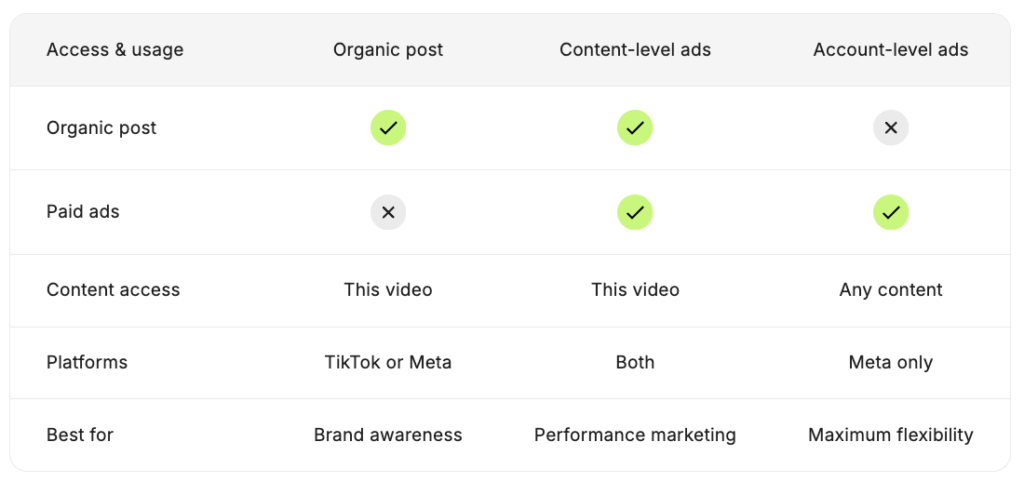
Content-level (Instagram Partnership Ads & TikTok Spark Ads) Add a 30-day, single-post permission as part of your Organic Creator Posting order. The creator posts organically, and you promote that specific live post from their handle in Ads Manager with your targeting, budget, placements, and reporting.
Account-level (Meta only) Order this after video delivery – no organic post required. Once the creator approves the connection request, you can run ads from their Instagram handle using any approved video asset for 30 days. Ads are not visible on the creator’s wall, and you don’t need to request a new ad code for each piece of content.
Why Brands Use It
Creator posts on their own feed feel native and credible. Paid Ad Partnerships let you add paid reach to that same live post without breaking the format that made it work in the first place.
- Lift performance with real-profile trust: Ads from a creator handle feel native and can improve Hook Rate and CTR, especially with cold audiences.
- Faster read, smarter spend: Run creator and brand handle delivery in parallel during the 30-day window, get a clean read on performance, and let that decide your next order.
- Reduce fatigue without reshoots: When brand-handle results soften, you can switch delivery to the creator handle to refresh attention while keeping the proven creative.
- Unlock creator audience targeting: With account-level permissions, you can build custom audiences in Meta from the creator’s followers, profile visitors, or people who engaged with their content – then target or exclude those audiences in your campaigns.
- Go straight to paid without waiting for a post: Account-level permissions let you skip organic posting entirely and launch ads from the creator’s handle as soon as the video is approved and the connection is accepted.
You can compare creator-handle and brand-handle delivery side by side, keep budgets and audiences consistent, and move spend to the route that wins. It is a simple way to reach new audiences, fight fatigue on the brand page, and scale what is working without starting a new production cycle.
How It Works
For new videos:
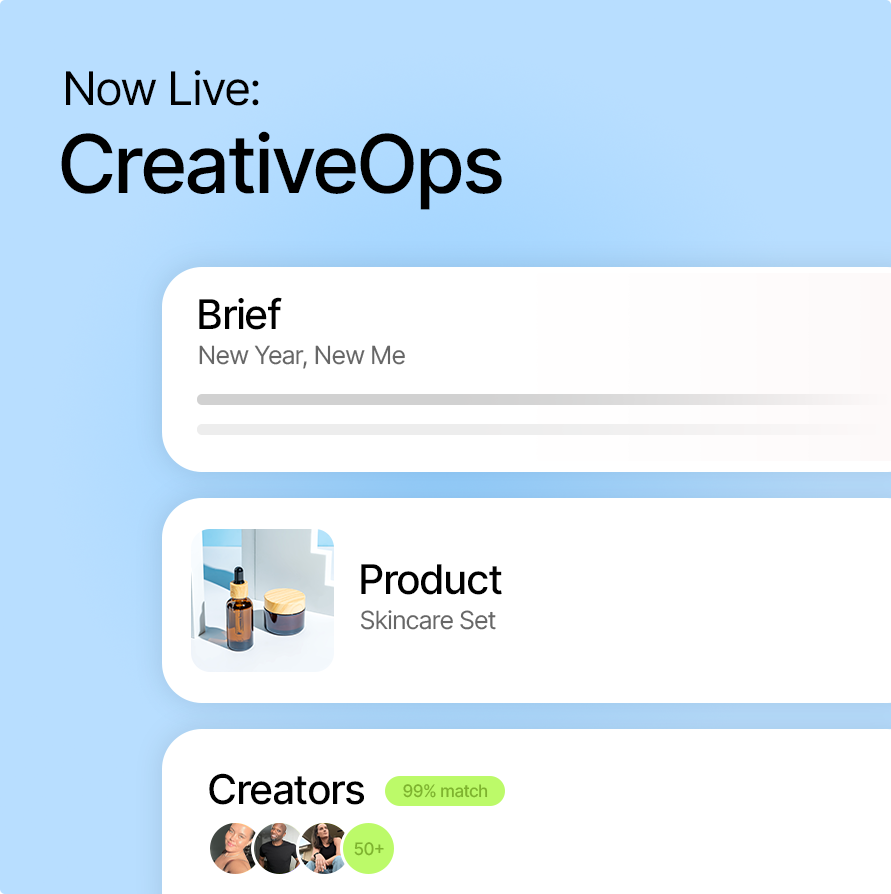
- Choose Organic Creator Posting. In your order or when you finalize your brief in CreativeOps Script Generator, select Organic video + social posting to generate four briefs.
- Add in Additional services (optional). After you select Organic Creator Posting and choose the brief you like, select Meta partnership ads or TikTok Spark ads in the Additional services step, depending on which option you chose for the organic post. This adds a 30-day, single-post permission for the creator handle.
- Approve the creator. Your creator matches refresh to show profiles that offer this permission. The permission price,set by the creator, appears in your order summary.
- Get the code. After the post is live, you will receive the partnership code in the chat for that order.
- Launch in Ads Manager. Attach the creator’s post using the code and run the campaign with your usual targeting, budget, placements, and reporting.
After video delivery:
- Select “Manage campaigns”
Open your Billo dashboard to see the Manage campaigns tab - Go to “Videos” and select the “Approved” tab
Navigate to your videos and the approved tab to see the creator videos you have already approved. - Pick your video and “Ask to post”
See which videos have the option for Ask to post. Here you can select Organic post + Partnership ads. (Paid Ad Partnerships only option coming soon)
For account-level partnership ads (Meta only):

- Find creators who offer account-level partnership ads
In the Explore Creators tab, filter for creators who offer Partnership Ads: Account-level, or check the Creator Services section on a creator’s profile. - Run your campaign and approve the video
Create a brief and work with the creator as usual. Once you’ve received and approved the final video, you’re ready to order Account-level permissions. - Order after video approval
Open your campaigns, go to the video delivery sidebar, choose Services, and select Partnership Ads: Account-level. The creator’s price for this service is shown before you confirm. - Wait for the creator to accept
Billo sends a connection request to the creator’s Instagram. The creator approves it directly in their Instagram chat. - Track the status
Go to Manage Campaigns → Partnership Ads to monitor the request: Pending means the request is sent, Accepted means you’re ready to launch, and Declined means the creator turned it down. Status updates can take up to 24 hours. - Launch in Ads Manager
Create your campaign in Meta Ads Manager using the creator’s Instagram handle as the partnership identity. You can use any approved video asset — no ad code needed.
Best Practices for Paid Ad Partnerships
- Prove it in public, then pay to scale: Use Organic Creator Posting to validate the creative before scaling with paid.
- A/B test the route: Run the same asset from the brand handle and the creator handle with the same budget, same audience, and then decide which route works best.
- Rehire with intent: When a creator performs, bring them back for the next brief, and let CreativeOps recommend similar profiles that tend to win on these types of ads.
- Use creator audiences to sharpen targeting: Once you have account-level access, build a custom audience in Meta from the creator’s followers or engaged users. Use it to reach warm audiences that already trust that creator, or exclude it to focus purely on new reach.
- Pick the right permission type for your goal: Use content-level when you want the social proof of a live organic post with paid reach behind it. Use account-level when you want speed and flexibility – skip the organic step and run any creative from the creator’s handle.
Try Paid Ad Partnerships Today
Open Billo to explore.

CEO & Co-founder @ Billo
Billo is a data-driven creator marketing platform that turns creator videos into trackable, scalable ads across Meta, TikTok, and YouTube Shorts. Built Billo from zero to 34k+ brands and hundreds of thousands of ads, driving $500M+ in tracked purchase value. I focus on systems, clarity, and execution.
Make creator marketing a data-backed growth channel

Related from Creative Insider
Brief Complexity Bonus, now live: price your briefs to match the work
H1 2026 video ad benchmarks: what hook rate, CTR & ROAS actually mean for your creative strategy
Meta Performance Marketing Summit 2026: Targeting is solved. Meta is coming for creative next.